 US Stock




US Equities, ETFs and Listed Funds


Global Chart Live
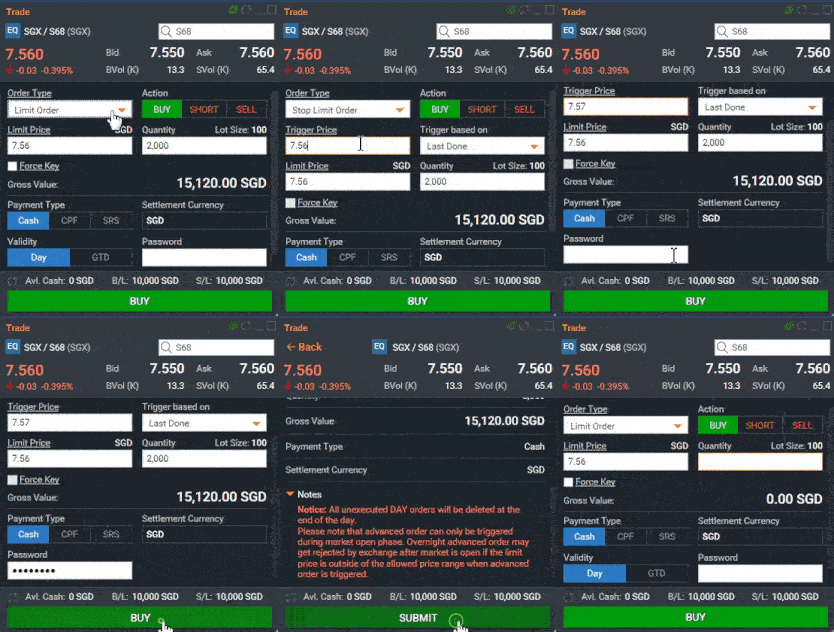
Advanced Order Types
*All depictions of trades by image are for illustrative purposes only and not a recommendation to buy or sell any particular financial instrument.
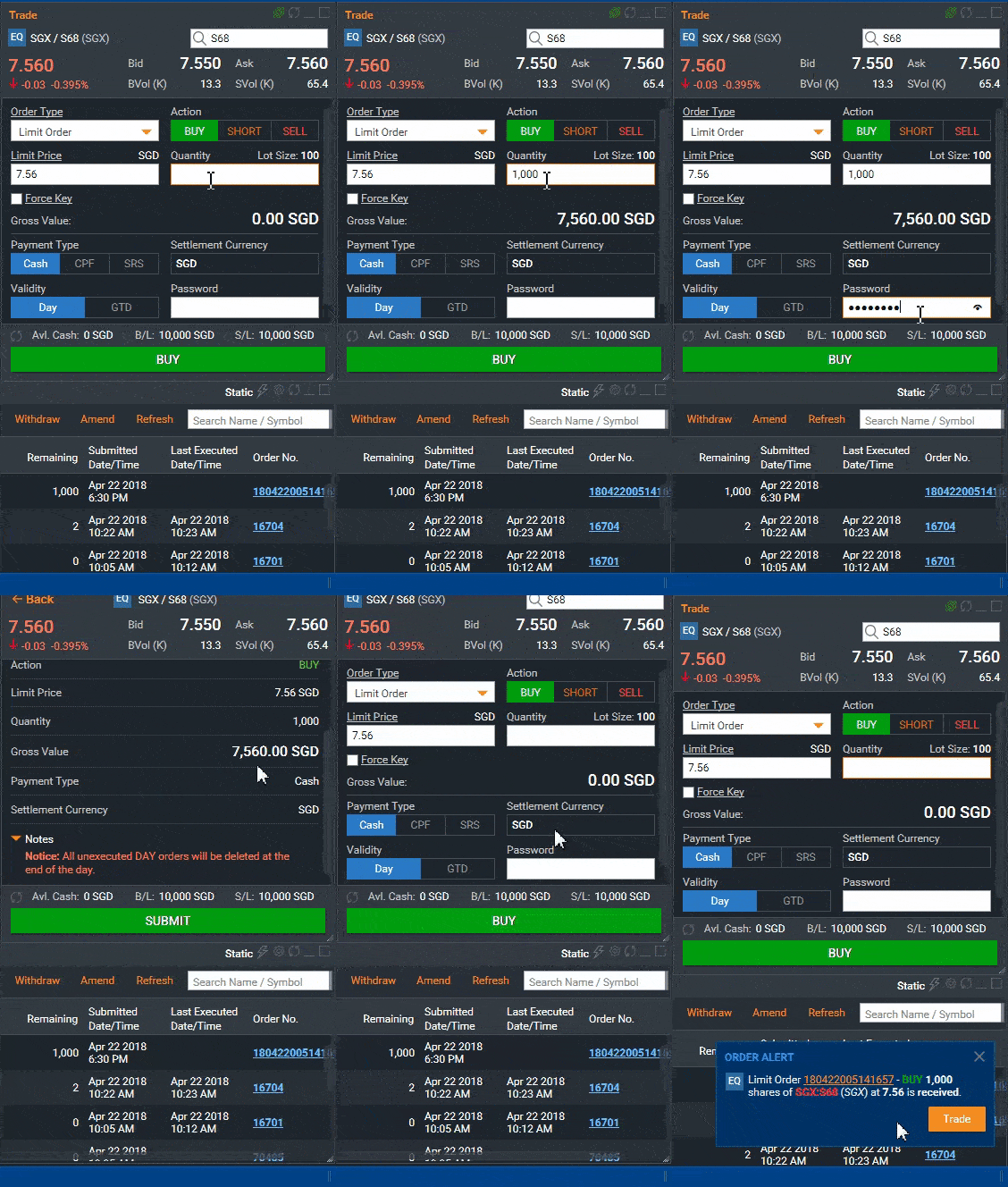
Live Order Notifications
*All depictions of trades by image are for illustrative purposes only and not a recommendation to buy or sell any particular financial instrument.
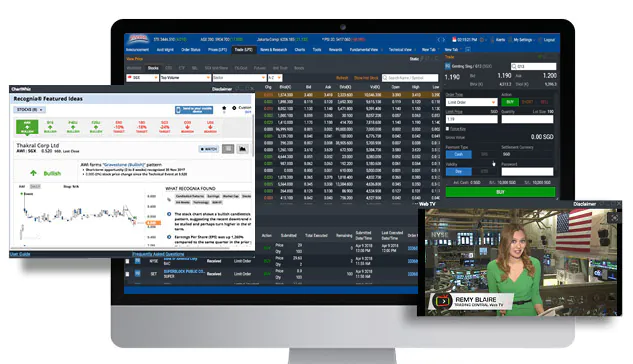
Personalised Interface with Integrated Trading Tools
 POEMS 2.0 User Guide
POEMS 2.0
Minimum system requirements:
- Windows 8 / Windows 10 / macOS 10.13
- Processor at 2.0 GHz or faster
- 4 Gigabytes (GBs) or more RAM
- Screen Resolution of 1024 by 768 pixels or higher
- Microsoft Edge, Mozilla Firefox 17 or above, Safari 5 and above, Chrome v25 and above
- Adobe Reader 8.2 and above
- Java Plug-In
- Connection to the Internet
Note: System requirements and performance may vary from one platform to another.
POEMS mobile is available for the IOS and Android smartphone and tablet devices:
OS: IOS 8.0 or later: Android of later
Click here to download directly from the respective app stores.


Alternatively
- On your iphone/Android Smartphone, locate Apple App store (iPhone/iPad)/Google Play Store (Android Smartphone/tablets)
- Search for POEMS Mobile GN / Gandhinagar (under Finance Category)
- Tap on "Install" and allow download to complete
The following are the exchanges supported on POEMS Mobile for equities:
| market(s) | Supported Exchanges(s) |
|---|---|
| United States (US) | NYSE, NASDAQ, AMEX |
POEMS Mobile shares the same login credentials (Account number and password) as POEMS web browser login.
You could have keyed in the wrong account number or password.
Please note that the password is case sensitive.
Yes, you can. To do so.
- Login to the app.
- Go to settings>Login and Passwords > Change Password.
- The Password rest will take 24 business hours to complete.
Kindly note the change of password will apply to all of POEMS platform access.
POEMS Touch ID is available on both iOS and Android devices.
Using the POEMS Touch ID allows the user to log into the app with fingerprint
Recognition without having input your login credentials.
First time registration is required for POEMS Touch ID- on the login screen, simply tap on the "Touch ID" icon to register with your POEMS account number and password.
Yes, this is customizable. After logging in. please go to settings > Login and Passwords > Session timeout.
Select < No session Timeout> Kindly note that this option prevents the app from logging user out; however passwords are still required for any transactions made after one hour of session inactivity.
To deactivate or change an account activated for POEMS Touch ID: after log in, please go to settings > Logins and passwords > Enable Touch ID on Login and "Turn Off" the corresponding switch.
Timeout errors are often attributable to a temporary fault to the server such as poor data connection or poor signal .Please switch to a stronger provider or contact your mobile data subscriber should this problem persists.
Yes. Standard POEMS online brokerage commissions apply. The latest online rates for respective markets cans be found here.
Yes. As Long as there is internet connection on your mobile phone. You can access POEMS Mobile. Internet connection can be via high speed mobile connection (i.e. 3G/4G/5G) or Wi-Fi. Please check with your telecommunication service provider for the applicable roaming charges when you are overseas.
All market information displayed are "Live" unless otherwise denoted by, which means that the information is delayed by 15-30 minutes.
Your trading Buy Limit will be shown at the bottom panel on the "trade Screens" of your selected instrument.
All orders placed using POEMS mobile can be viewed and withdrawn from the Order Status screen. You can also view the status of your orders for the past 7 days in this module.
Yes, the orders that you placed through POEMS Mobile will be reflected in the order status page in POEMS (Web Browser) and vice-versa.
You can sent the withdraw request to ???????? or contact your representative directly.
For security reasons, we strongly advise all users to perform a logout after each session.
This can be done by tapping on the menu > Logout (last option).